![Final_Lavu_Logo.png]](https://support.lavu.com/hs-fs/hubfs/Final_Lavu_Logo.png?height=40&name=Final_Lavu_Logo.png)
LavuPay is powered by CardConnect, a leader in the online payments sphere. LavuPay is fully integrated with Lavu POS. When you have LavuPay, Lavu POS, and MenuDrive, you have. A holistic all-in-one system for restaurant operations.
Start by expanding Settings on the left-side navigation menu.
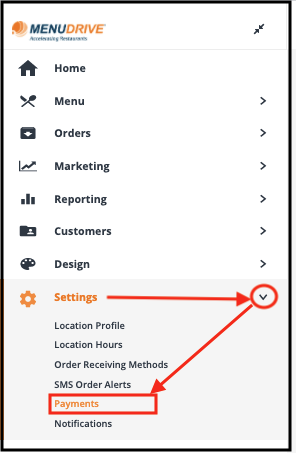
Then select Payments, and Sign up for LavuPay from the Payment Options page.
Start by expanding Settings on the left-side navigation menu.
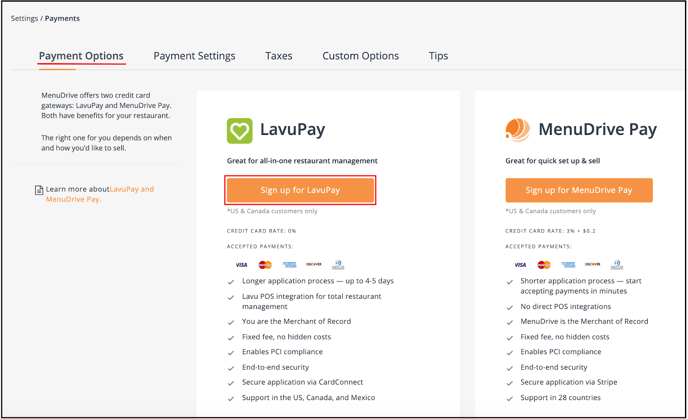
Then select Payments, and Sign up for LavuPay from the Payment Options page.
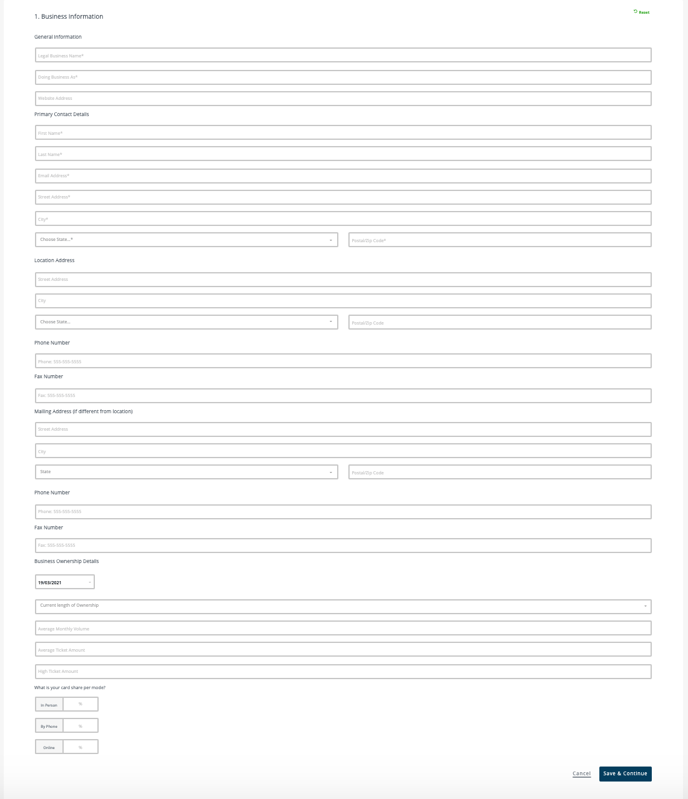
Fill out the LavuPay Application directly from your Admin Control Panel.
For any further support, please reach out to our 24/7 customer support team at 505-535-5288 or email support@lavu.com.